

How this hub helps your teams
Build cybersecurity awareness that reflects the risks, responsibilities and decisions different teams face.
-
IT and Security teams:
Develop deeper knowledge of threats, device security, data protection and emerging risks such as AI, helping teams apply security policies and protect critical systems. -
Compliance Leaders, Managers, and Learning & Development (L&D) teams:
Gain the knowledge to reinforce secure behaviours within teams, while making it easier for Compliance and L&D to deliver consistent, role-relevant training. -
All Employees:
Learn how role-relevant cyber risks can affect the wider organisation, from spotting phishing attempts to handling sensitive information and using devices securely.


Information Security
Security standards vary between the markets a global organisation operates in, but attackers do not adjust their methods to match. One weak jurisdiction becomes the entry point for the whole group. Delivering consistent training everywhere removes that asymmetry, and it satisfies the staff awareness requirements that appear in almost every client and supplier security assessment.

AI Literacy at Work
Staff are already using these tools, usually without telling anyone, and the exposure comes from pasting customer data or client material into a service nobody assessed. Confident output that is simply wrong is the second problem. Building literacy across the workforce gives your organisation a realistic basis for an AI policy rather than a prohibition people quietly work around.

Cybersecurity Compliance Training Course
Attackers target people because people are reachable and predictable under time pressure. The short format matters here: cyber awareness works best delivered frequently rather than thoroughly once a year, since the techniques change faster than annual training cycles. Running this across the whole workforce gives you a control that scales, and satisfies the staff awareness expectations that appear in client and supplier security assessments.

Information Security
Security behaviour degrades between annual courses, and attackers rely on that. A short refresher keeps classification habits and email caution current without repeating the full course, which makes it practical to run more than once a year. For firms subject to DORA or regular client security assessments, a documented refresher cycle is increasingly what evidence of ongoing awareness actually means.

Phishing
Phishing is how most breaches begin, and the messages have improved enormously with better tooling behind them. The decisive factor is rarely whether someone clicked but how quickly they said so. Training that removes the embarrassment around reporting shortens that gap, and short modules can be repeated often enough to keep pace with techniques that change every few months.

Spot a Phishing Attempt
Phishing emails are fraudulent attempts by cybercriminals to trick individuals into revealing sensitive information. This training helps employees recognise phishing attempts, identify red flags in emails and take steps to protect personal and company data from cyber threats.

Business Email Compromise
Business Email Compromise (BEC) is a targeted cyberattack where criminals impersonate executives or hack accounts to steal money or sensitive information. This training helps employees recognise different types of BEC scams, understand the risks and apply verification steps to prevent fraud.

Deepfake Awareness
Deepfakes use artificial intelligence to create fake images, audio or videos that can deceive individuals and organisations. This training helps employees recognise deepfake scams, understand their risks and apply verification steps to prevent fraud and cybercrime.
Understanding Information Security
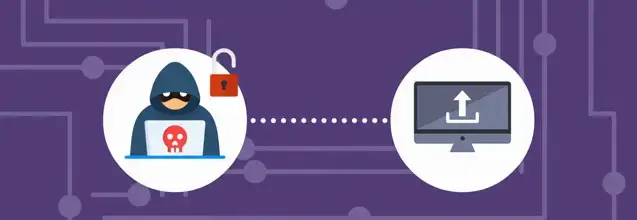
Information security is essential to protect sensitive business and customer data from unauthorised access, breaches and cyber threats. This training helps employees understand their role in safeguarding information, following security policies and identifying potential risks.

Common Cyber Threats
Cyber threats such as phishing, malware, ransomware and unsecured networks pose significant risks to businesses. This training helps employees recognise common cyber threats, understand their impact and apply best practices to prevent security breaches.

Zero Trust Cybersecurity
The zero trust cybersecurity model ensures IT systems remain inaccessible by default, requiring strict verification before granting access. This training helps employees understand how zero trust works, including authentication measures, restricted access and continuous security monitoring.

Bring Your Own Device Security
Bring Your Own Device (BYOD) policies offer convenience and flexibility but also introduce cybersecurity risks. This training helps employees understand the precautions necessary to secure personal devices and protect company data from threats like theft, hacking and data breaches.

Device Hygiene
Device hygiene is the practice of keeping digital devices secure and free from cyber threats to protect company data and networks. This training helps employees understand the importance of device hygiene and apply best practices to prevent malware infections, data breaches and unauthorised access.

Malware
Malware is malicious software designed to harm or exploit computer systems, ranging from viruses and ransomware to spyware and botnets. This training helps employees recognise different types of malware, understand how they spread and take proactive steps to prevent infections.

Ransomware
Ransomware is a type of malware that encrypts files and demands payment for their release, often causing severe financial and operational damage. This training helps employees recognise ransomware threats, understand how attacks occur and take preventive measures to protect company systems.

Smishing
Smishing is a targeted phishing scam that uses deceptive text messages to gain sensitive information. This training highlights how to recognise and avoid falling victim to smishing attacks.

Spear Phishing
Spear phishing targets specific individuals with convincing emails designed to deceive them. This training demonstrates how to recognise and handle these targeted phishing attempts.

Video Conferencing
Video conferencing is a vital business tool, but it also presents security and privacy risks if not used correctly. This training helps employees understand best practices for secure video meetings, from using approved software to protecting confidential information.

Vishing
Vishing is a social engineering attack where cybercriminals use phone calls to trick individuals into revealing sensitive information. This training helps employees recognise vishing attempts, understand manipulation tactics and apply best practices to verify callers and protect confidential data.

Creating Strong Passwords
Strong password protection is essential to safeguarding company systems from cyber threats such as brute force attacks and password guessing. This training helps employees understand the importance of creating strong passwords, following security policies and preventing unauthorised access.

Multi-factor Authentication
Multi-factor authentication (MFA) enhances security by requiring users to verify their identity through multiple authentication methods. This training helps employees understand the importance of MFA, how it protects company data and when it should be used.

Reacting to Password Breaches
Password breaches can lead to unauthorised access, fraud and data theft, often resulting from weak passwords, phishing or insecure networks. This training helps employees recognise the warning signs of compromised credentials, understand the risks and apply best practices to prevent breaches.

Information Classification
This training helps employees understand different levels of information classification, their restrictions and how to handle data securely.

Information Security on the Move
Handling company information securely, especially when working remotely or traveling, is essential to prevent data breaches and security risks. This training helps employees understand how to protect sensitive information, secure devices and minimise exposure to cyber and physical threats.

Tailgating and Piggybacking
Cybersecurity is not just about digital protection but also involves securing physical access to critical systems. This training helps employees recognise security risks like tailgating and piggybacking, understand their consequences and take steps to prevent unauthorised access.

Secure Web Browsing
Practicing safe web browsing helps to reduce security risks and protect sensitive information. This training explains how to browse the internet securely and avoid common cyber threats.
Supply Chain Cybersecurity
A company’s cybersecurity is only as strong as its weakest link and supply chain vulnerabilities can expose businesses to major breaches. This training helps employees understand the risks posed by third-party access, the importance of supply chain security and best practices to prevent cyberattacks.

Transferring Information Securely
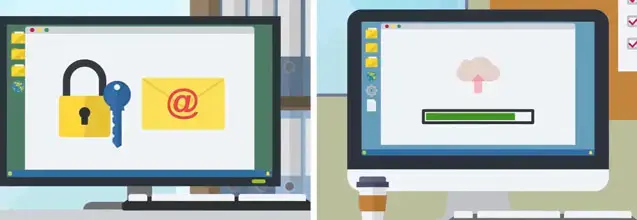
Securely transferring information is essential to protect sensitive data from breaches, legal risks and business disruptions. This training helps employees understand best practices for secure communication, including encryption, password protection and using secure transfer protocols.

Using Wi-Fi safely
Wi-Fi connectivity offers convenience but also exposes devices and data to security risks if not properly managed. This training helps employees understand Wi-Fi security threats and apply best practices to protect sensitive information when working from home, in the office and on the move.

Advising Customers on Cybersecurity
Cybersecurity is everyone's responsibility, including guiding customers to protect themselves from online threats. This training helps employees understand common cyber risks customers face and how to provide clear, helpful security advice to build trust and prevent fraud.

CEO Fraud
CEO fraud is a type of Business Email Compromise where cybercriminals impersonate executives to trick employees into making payments or sharing confidential information. This training helps employees recognise CEO fraud attempts, understand spoofing tactics and follow verification steps to prevent financial and data loss.

Guide to Secure Remote Working
Remote work provides flexibility but also introduces cybersecurity risks that can compromise company data and systems. This training helps employees understand the security challenges of working from home and apply best practices to protect sensitive information.

Think Before You Click
Clicking on malicious links or attachments is one of the most common ways cybercriminals infect IT systems with malware. This training helps employees recognise suspicious emails, understand the dangers of phishing and ransomware and apply best practices to protect company data.

Risks in the Use of AI
This training highlights how AI can be used effectively while identifying and addressing potential risks.